One premise: your pharmacy is not the average
According to the Spanish General Council of Pharmacists' Colleges (Consejo General de Colegios Farmacéuticos), there were 22,273 community pharmacies in Spain on 31 December 2025, and 86.9% were owned by a single pharmacist. Almost all of them have a single owner, the person who signs off every purchase and has to find the time for every project. A digitisation plan that suits a city pharmacy with four pharmacists and a large parapharmacy range does not suit a rural one in a village of 800 people. That is why the end of this article gives an order by size rather than a single list.
Step 1: the management system and its data
The pharmacy management system (what Spanish pharmacists call the programa de gestión) handles stock, prices, orders, sales and often dispensing. Before thinking about any other tool, check three things.
Whether your version still receives support and updates. Unmaintained software accumulates security risk and stops talking to other systems.
Whether the product data is clean. Duplicate national codes (códigos nacionales), discontinued products that are still active, over-the-counter prices not reviewed for months. Any system you connect later will inherit that mess. Spending a week cleaning up the records of your 300 fastest-moving products pays off more than almost any purchase.
Whether it can export or connect. Integrations with shelf labels, screens or accounting depend on the software offering a way out, whether a file, an API or a direct connection. Ask your supplier what it offers before contracting anything that depends on it. Get the answer in writing: what data goes out, how often, and who maintains the link when the software is upgraded.
Step 2: e-prescription and frictionless dispensing
Electronic prescription is already the normal route of prescribing in Spain's National Health System, and Royal Decree 1718/2010 regulates both paper and electronic prescriptions and the dispensing order. What is left to digitise in most pharmacies is not the prescription itself but everything around it: card readers that fail, connection problems with the regional health service, dispensations left half-finished, substitutions, and billing to the regional authority.
Here, digitising means reducing incidents. For two weeks, note how often the process drops or stalls and why. A pattern almost always appears: a printer, a reader, an internet line with no backup. The data connection, which looks like a minor technical matter, is the infrastructure for everything else. A second line or a router with 4G failover costs little compared with an afternoon unable to dispense.
Step 3: consistent prices across shelf, software and till
When the shelf price differs from the till price, the problem is no longer technical: it is a complaint, and it can be an infringement. For medicines reimbursed by the national health system the price is set by the authorities and the pharmacy cannot change it; parapharmacy prices are yours to set, and non-reimbursed medicines follow their own regime. In every case the price must be displayed and must be the one charged. If you change prices often (campaigns, suppliers, new product lines), the bottleneck is manual work: printing, cutting, placing, removing.
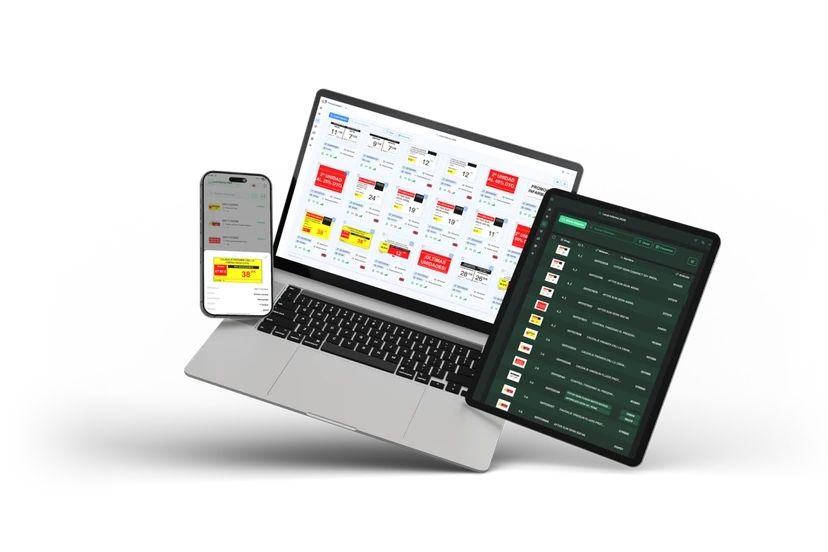
There are two stages. The first is process: a single person responsible for changes, and a change list that is printed and checked against the till once a week. The second, when volume justifies it, is automating updates with electronic shelf labels. The usual failures at this step are covered in the article on shelf-versus-till price errors, and how automatic change works in this one on changing prices automatically. For the full picture, the guide to electronic shelf labels in pharmacies explains what you can and cannot expect from them. For the legal framework on pricing and advertising, see the regulation guide.
Step 4: screens and in-store communication
Screens at the point of sale do three things, and it helps to keep them apart: inform (on-duty hours, available services), manage the wait (queue tickets) and promote over-the-counter products. The third is the most tempting and the most regulated, because the advertising of medicines has limits that a shop-window screen does not remove. The digital signage guide details what to show and what not to.
A badly maintained screen does more harm than none: expired content, an offer that ended last month. If nobody on the team will look after the content, do not install it yet.
Step 5: an online presence, in proportion
For most pharmacies, the highest-impact item at this layer is also the simplest: a Google Business Profile with the right opening hours, phone number, address and on-duty rota (guardias). A website of your own adds value when there is something to say (services, team, compounding), and it does not have to be a shop. Selling parapharmacy and non-prescription medicines online is a different decision, with authorisation and advertising requirements that you should check with your autonomous community before planning anything.
Step 6: data protection, from day one
Every tool you add may touch patient data, and health data is a special category under the GDPR (art. 9). In practice, before contracting anything that sees or stores it:
- Ask who the processor is and sign the contract the GDPR requires.
- Check whether your record of processing activities (art. 30) and your risk analysis reflect the change. The art. 30(5) exemption for organisations with fewer than 250 employees does not apply where special categories of data are processed, so a pharmacy handling health data needs that record.
- Check the security measures (art. 32): per-user access, backups, encryption on laptops and phones.
- Assess whether large-scale processing requires an impact assessment (art. 35). In a single-owner pharmacy it normally does not, but the decision should be reasoned and written down.
Organic Law 3/2018 supplements the GDPR in Spain. For your case, your pharmacists' college or an adviser will tell you what applies. Cameras, screens showing data and connected devices are covered in the article on data protection and screens.
What to prioritise by size
| Profile | Priority 1 | Priority 2 | Leave for later |
|---|---|---|---|
| Rural or very small | Up-to-date software, backup connection, e-prescription without incidents | Google profile and patient communication | Labels and screens |
| Mid-sized urban | Clean up product data, pricing process | Information screen and queue tickets; label pilot in one section | Online sales |
| Large or strong parapharmacy | Software-to-label integration, price control | Screens with campaigns, basket and category analysis | Nothing is ruled out, but it is sequenced |
A common rule: do not start two projects at the same counter at once. Each change should be stable for a couple of months before you add the next.
How to know it works
Define one measure per step before you begin. E-prescription incidents per week. Shelf-versus-till differences found in a check. Weekly time spent changing prices. If you do not measure the starting point, you will not know whether the change was worth it. For sales, compare with an equivalent period, as explained in the article on average basket size; the IQVIA market reference (December 2025) is a sector average, not a target for your pharmacy.
What you do not need
You do not need to buy everything from one supplier, nor to change management software to get started, nor to digitise what works fine on paper. Digitising means removing repetitive work and errors, not accumulating screens.
Sources
- Consejo General de Colegios Farmacéuticos, Estadísticas de colegiados y farmacias comunitarias 2025
- BOE, Real Decreto 1718/2010, sobre receta médica y órdenes de dispensación (texto consolidado)
- Regulation (EU) 2016/679 (GDPR), arts. 9, 30, 32 and 35
- BOE, Ley Orgánica 3/2018 de Protección de Datos Personales y garantía de los derechos digitales
- IQVIA, Informe tendencias del mercado farmacéutico retail, diciembre 2025