When prices change, and why month by month
Not every price in a pharmacy moves for the same reason. It helps to separate them, because each group has its own calendar.
| Group | Who sets the price | When it changes |
|---|---|---|
| Medicines reimbursed by the national health system (SNS) | The Interministerial Pricing Commission, through the Ministry of Health | With the monthly nomenclátor; homogeneous groups, every quarter |
| Non-reimbursed medicines (many OTC) | The manufacturer, under a notified-price regime | When the manufacturer reports a new price |
| Parapharmacy and dermocosmetics | The pharmacy, from the supplier's price list | When the price list or the pharmacy's commercial decision changes |
| Promotions | The pharmacy | On the start and end dates it defines |
Reimbursed medicines
The Ministry of Health publishes the billing nomenclátor, the official medicines price list, with one edition per month (this November 2026 edition is online) and offers it for download as CSV, RDF and Excel. Royal Decree 177/2014 provides that it is updated every month with the changes recorded up to the 20th of the previous month.
On top of that monthly rhythm there are two slower ones that explain the big jumps:
- The lowest prices of the homogeneous groups (sets of interchangeable products) are reviewed every quarter and applied in the January, April, July and October editions.
- Reference prices are updated by ministerial order; the new values enter the nomenclátor on the first day of the second month after the order takes effect.
The practical reading: a pharmacy with many generics will see more movement in the quarter-change months, and a change announced in the BOE (Spain's official gazette) does not reach the till the same day, but when it enters the nomenclátor and the software imports it.
Over-the-counter and non-reimbursed medicines
Here the price does not come from the nomenclátor. Article 94 of the consolidated text of the Medicines Guarantees Act provides that marketing authorisation holders sell under a notified-price regime, that is, they report the price to the Ministry, which may object on public-interest grounds. The manufacturer carries the starting price. From there, what is charged and how it is advertised is the pharmacy's decision, within the advertising limits explained in the guide to pricing and advertising rules.
Parapharmacy and promotions
This is the only group that depends entirely on the pharmacy. A new supplier price list, a margin change or a campaign promotion are internal changes that must be entered in the management software with a start and end date.
First stage: from source to software
The official nomenclátor is a file. Whoever loads it into the management software is the software's own data provider, not the pharmacy. In practice, sector software draws on medicine databases such as BOT PLUS, run by the Consejo General de Colegios Farmacéuticos (the national pharmacists' council), which covers medicines and parapharmacy products. How often each program incorporates those updates depends on the vendor and the version contracted; it is not a general fact, and it is one of the questions worth asking whoever supplies your software.
Two simple checks at this stage:
- Date of the last database update. Almost every program shows it. If in the middle of a quarter-change month it is still last quarter's date, something has not been imported.
- A test product. Pick three or four references you know changed this month (a generic from a reviewed group, for example) and check their price at the counter on day one.
Second stage: inside the software
When the data arrives, the software usually does three things: updates the retail price (PVP), recalculates margins and flags the product as changed. This is where it is decided whether the change is automatic or waits for someone to approve it. Some pharmacies prefer to review free-price products before they apply and let reimbursed ones go through untouched, because their price is not negotiable. A sensible policy: automatic where the price is data, reviewed where it is a decision.
Promotions deserve their own attention because the end date matters as much as the start. A promotion without an end date ends when someone remembers, and meanwhile the shelf advertises a price the till no longer honours. If your software accepts validity dates, always use them rather than relying on the team's memory.
What the rules require when a price drops
Article 20 of the Retail Trade Act (Ley de Ordenación del Comercio Minorista) requires that when an item is offered at a reduced price, the previous price is clearly shown next to the reduced one. It defines the previous price as the lowest applied to identical products in the preceding thirty days. Items going on sale for the first time are excepted.
For a pharmacy this has a concrete data consequence: the software must keep the price history of each reference, not just the current price. If the system that sends the price to the shelf does not know the lowest price of the last thirty days, the offer label is filled in by hand and you are back to relying on memory. For medicines there are also specific advertising restrictions, covered in the guide linked above, which a well-calculated label does not solve.
Third stage: from software to shelf
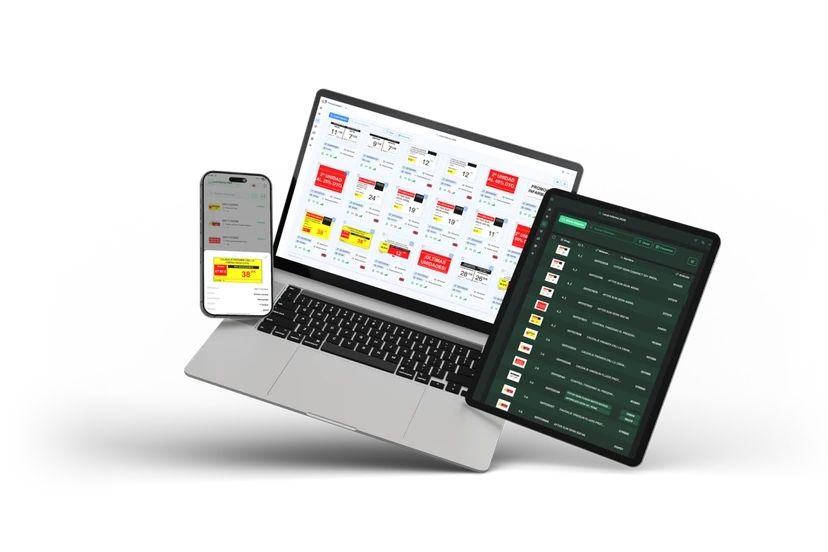
If the shelves carry paper labels, a change creates a task: print the list of modified products, physically swap the tags and hope none is forgotten. If they carry electronic shelf labels, the task disappears provided the labels receive the price from the software and not from a second database. That is the point of the integration with the management software: a single source of truth for till and shelf.
How FarmaConnect makes that last hop, with which programs and how often, we will detail once the technical team has validated it; we do not give figures here that we cannot back up. What does hold for any solution is the following.
What to ask before you buy
- Which system is in charge: the management software, or is there a separate price panel someone has to maintain?
- What happens if a label does not confirm the change? Is there an alert, or is it found on the shelf?
- Can promotion start and end be scheduled with date and time?
- Is the history kept to calculate the previous price?
- How does it behave with products in special areas, such as the refrigerated fridge?
A review rhythm that works
Without building anything complex, this monthly routine covers the usual failures:
- Day 1 or 2 of the month: check the date of the last database update and review the test products.
- Quarter change (January, April, July, October): go over the highest-turnover generics, since that is where group reviews concentrate.
- End of each campaign: verify that expired promotions are no longer on the shelf or on the screens.
- Once a quarter: pick twenty products at random and compare shelf with till. Any difference points to a broken stage, and finding it this way is cheaper than finding it through a complaint.
Summary
The price of a reimbursed medicine is set by the nomenclátor, an OTC's is notified by the manufacturer, and parapharmacy is decided by the pharmacy. Automating means the data travels that path without an intermediate manual entry, with validity dates on promotions and the thirty-day history available for the previous price.
Sources
- Ministerio de Sanidad. Nomenclátor de facturación de medicamentos
- Real Decreto 177/2014, sistema de precios de referencia y agrupaciones homogéneas (BOE-A-2014-3189)
- Texto refundido de la Ley de garantías y uso racional de los medicamentos, art. 94 (BOE-A-2015-8343)
- Ley 7/1996 de Ordenación del Comercio Minorista, art. 20 (BOE-A-1996-1072)
- Consejo General de Colegios Farmacéuticos. BOT PLUS