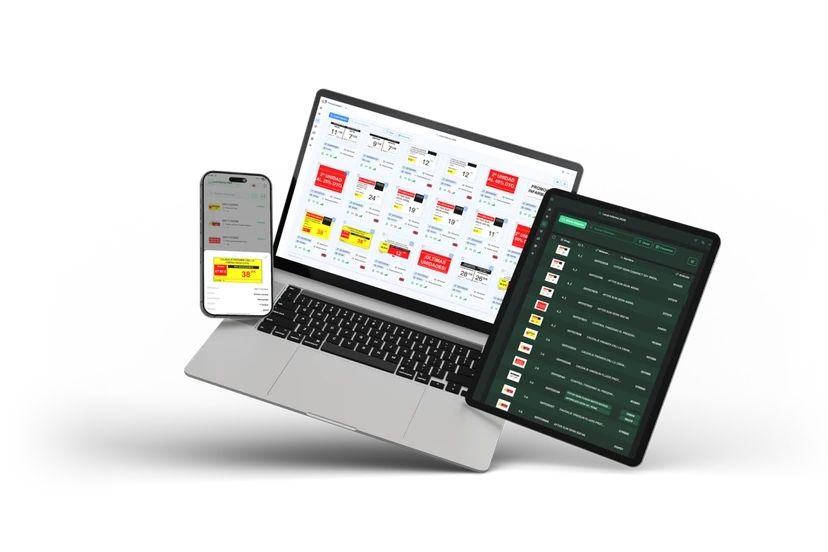
A disclosure first: this page is published by FarmaConnect, which sells electronic shelf labels to pharmacies. So we keep three things apart: what Unycop publishes, what is general method, and what can only be confirmed against a specific pharmacy's installation.
Win or Next: which Unycop are we talking about?
Unycop sells two named management systems today. Unycop Win is the long-standing product. Unycop Next is presented as its successor, "developed with Microsoft technologies" and "without losing the essence of Unycop Win", in the vendor's words. Around both sit modules such as Update, Guardian, Marketing and Mobile.
On integrations, the two product pages say little, and much the same:
| Product | What Unycop says (translated) |
|---|---|
| Unycop Win | "Integrated with the main national co-operatives, robotics companies, devices and loyalty services" |
| Unycop Next | "Allows integration of the sector's main devices and services" |
Neither mentions shelf labels, signage or an API. And version matters: a link that works with Win is not, by definition, validated with Next.
Six companies under "labels"
Unycop's directory of partner companies has a tag called "Etiquetas". On 10 November 2026 it listed six companies.
Each name links to a profile with a logo and little else. The directory does not say what each company does with Unycop, with which version, or since when. Being listed does not answer the technical questions of which fields are read, how often, and who responds when it fails.
How a Unycop price can reach a label
There are three possible architectures:
- An integration agreed with Unycop, tested and maintained by the software vendor across releases.
- A periodic file export of items and prices that the label system collects at intervals.
- Prices kept separately in the label supplier's dashboard and updated by hand.
The third generates the most errors, because each price has to be changed in two places. That is the failure mode behind shelf and till prices that don't match.
Four things till and shelf must share
| Data | When it changes | If it does not arrive |
|---|---|---|
| Price of reimbursed medicines | On the 1st of each month, with the nomenclator closed on the 20th of the previous month | The label shows a price that can no longer be charged |
| Lowest prices of homogeneous groups | In the January, April, July and October nomenclators | Visible jumps on fast-moving generics |
| Offers and promotions | On dates the pharmacy sets | The shelf advertises a promotion the till no longer applies |
| Previous price on discounts | Whenever a reduction is advertised | The label breaches art. 20 of Spain's Retail Trade Law |
The year's key dates are in our official medicine price updates calendar, and the full path of a price from the Ministry to the shelf in changing pharmacy prices automatically.
Moving from Win to Next without losing your labels
A system migration is when integrations most often break unnoticed. Three checks:
- Before, ask the label supplier to confirm in writing that its link works with Unycop Next.
- On migration day, pick ten reference products (five reimbursed, five parapharmacy items on offer) and note their till and shelf prices.
- The following week, change one parapharmacy price in Next and time how long it takes to appear on the label.
Groups with branches on different systems
Pharmacy groups and co-operatives in Spain rarely standardise on one management system overnight. A buying group may have one member on Unycop Win, another already on Next and a third on a different vendor altogether. For labels and screens that creates a practical rule: evaluate the integration per branch, not per group. A head-office promotion only reaches every shelf on the same day if each branch's system passes it on with its dates intact, and the slowest link sets the pace. Ask the label supplier for a per-branch table (system, version, method, sync interval) before rolling out, and keep it updated whenever a branch migrates. The same applies if some branches use Farmatic or Nixfarma.
Checklist before you sign
- Does Unycop know and maintain the link, or does the supplier run it alone?
- Does it work with Win, Next or both?
- Which fields does it read, and how often?
- Do offers switch on and expire on the label using Unycop's dates?
- Do in-store screens read the same data as the labels?
- If a label fails to confirm a change, who gets the alert?
- Who provides first-line support: your Unycop reseller or the label supplier?
And FarmaConnect?
FarmaConnect's electronic shelf labels, LCD rails and screens read prices and promotions from the pharmacy's management system, and on the video call we confirm whether your Unycop version is compatible and how. To compare, see the Farmatic and Nixfarma pages; if you have not yet decided whether labels pay off, read the electronic shelf labels guide for pharmacies.
Sources
- Unycop. 'Etiquetas' tag of the partner directory (accessed 2026-11-10)
- Unycop. Unycop Win product page (accessed 2026-11-10)
- Unycop. Unycop Next product page (accessed 2026-11-10)
- Royal Decree 177/2014, arts. 8 and 12 (BOE, accessed 2026-11-10)
- Law 7/1996 on Retail Trade, art. 20 (BOE, accessed 2026-11-10)